

E-signatures & file management
Unlimited signatures. All your files. Built into Hera.
Unlimited signing and a full file manager, included in Hera. Replace two subscriptions, with $1,080/year in our savings example.
Replace DocuSign.
And your Dropbox.
Send unlimited documents for signature and manage all your files in Hera. Your drivers, staff, and contacts are already here, and completed documents stay with their records.
Included in Hera’s $9 per active driver per month.
No per-document fees, no per-seat licenses, and no separate file-storage subscription.
Replace two subscriptions
Unlimited signing.
Full file management.
$1,000+ in example annual savings.
Separate signing and storage services can mean two bills. Hera includes both, with no document fees or per-seat signing licenses.
For example, replacing a $65/month signing subscription and $25/month storage subscription removes $1,080 in annual subscription costs.
Annual savings example
$1,080/year
- E-signature subscription
- $65/mo × 12 = $780
- File-storage subscription
- $25/mo × 12 = $300
- Combined annual cost
- $1,080
- Signing & files in Hera
- Included
This example replaces $90 in monthly subscriptions. E-signatures and file storage are included in Hera's Vendor Exchange price of $9 per active driver per month, with no extra fee.

Unlimited e-signatures
Any document.
The people you need to sign it.
Upload contracts, policies, counselings, or agreements, or choose a file from your Hera library. Send to drivers, staff, or outside contacts.
- Your people are already here.Choose drivers, staff, and contacts by name or email. No separate contact list to rebuild.
- Multiple signers, your order.Send to everyone at once, or set a sequence so each recipient signs in turn.
- Unlimited documents.Send unlimited documents, with no per-document charges or per-seat signing licenses.
From document to signed
From draft to signed and filed.
Follow the document from draft to completed record, all inside Hera.
Add a document.
Upload a new file or choose one from your existing Hera library.
Choose recipients.
Add drivers, staff, or outside contacts, signing together or in a set order.
Place the fields.
Drag fields onto the document and assign each one to the right recipient.
Send or save a draft.
Send it now, or keep a draft and come back when you’re ready.
Track and file.
See each signer’s progress live. Completed documents save automatically in Signed Files.
The details a signing tool needs
The fields, signers, and status are all covered.
Collect fields, coordinate signers, and see what needs attention inside Hera.
- Ten field types, placed where you need them.
- Sign: Signature, initials.
- Fill: name, email, date, text, number.
- Choose: checkbox, radio buttons, dropdowns.
Assign each field to its recipient.
- A live view of every document.
- Track draft, in progress, completed, refused, cancelled, and expired documents, with timestamps for each signer.
- Automatic filing when signing is done.
- Completed documents go into Signed Files, organized alongside your associate and vehicle records.
- Less setup and app-switching.
- Your people and operational records are already in Hera. Signed documents support your compliance documentation without another data-entry project.
Signatures with a record behind them
Know who signed.
Keep the history that supports it.
A complete audit trail supports authenticity if a document is questioned.
Signer identity.
Each signature captures the signer’s name and email.
IP address.
Retain the signer’s IP address with the signature record.
A time-stamped trail.
Retain each recipient’s time-stamped history: sent, opened, viewed, and signed.
Electronic signatures can be legally binding. The federal ESIGN Act recognizes electronic signatures and records, subject to applicable requirements and exceptions. Some documents still require a different process. Read the federal rule →
A full file manager, too
All your files.
Even the ones nobody needs to sign.
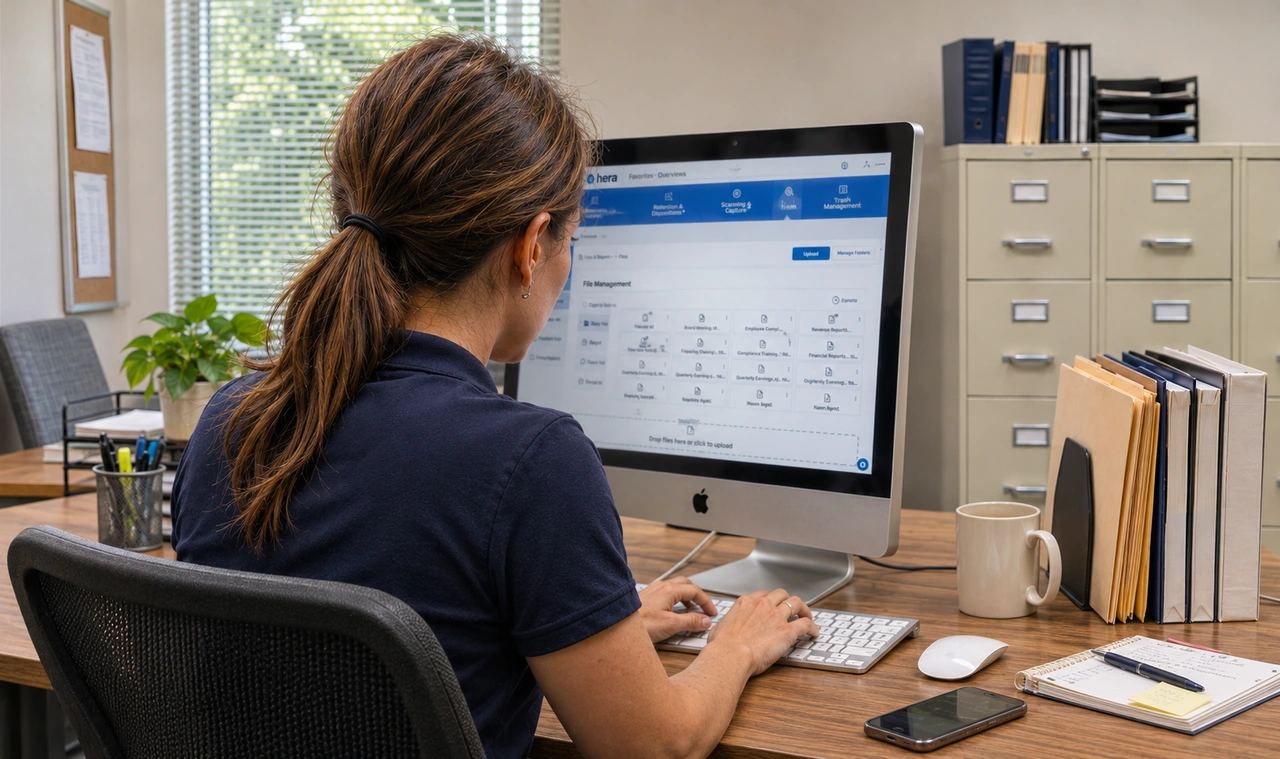
Store and organize contracts, policies, certifications, vehicle records, and other DSP documents inside Hera, like Dropbox, Box, or Google Drive.
Use Signed Files, Other Files, Associates, and Vehicles, with search across everything. Signed documents file automatically alongside the people and vehicles they belong to.
Full file management is included. No separate cloud-storage subscription.
Review the two-subscription savings exampleKeep a signed safety acknowledgment in Signed Files and the original policy or vehicle contract in your file library. See how records help you follow up on an incident.
Hera and standalone tools
One place to run your DSP and keep its records.
| What your team needs | Inside Hera | Separate signing and storage tools |
|---|---|---|
| Documents for signature | Unlimited, included | Volume limits and fees vary by plan |
| Per-seat signing licenses | None | Licensing depends on your provider and plan |
| Drivers, staff, vehicles, and contacts | Already part of your DSP platform | Another contact list or integration to maintain |
| File management and search | Included alongside your records | A separate storage workflow or subscription |
| Identity, IP, and signature history | Captured in the audit trail | Available features depend on the signing service |
From DSP owners
A place for the work your business needs.
“Hera is a wonderful tool to utilize!”
Eric B., Owner
“Such a fantastic partner, a place for all things, and always updating for improvement.”
Marcia J., Owner
A few helpful answers
FAQ
Everything from choosing a recipient to finding the finished file stays in Hera.
How many documents can we send?
Unlimited. General-purpose e-signatures and file management are included in Hera’s $9 per active driver per month, without per-document fees or per-seat signing licenses.
Can people outside our company sign?
Yes. Send to drivers and staff already in Hera, or to an outside contact by name or email.
Can we set multiple signers and a signing order?
Yes. Send to several recipients at once, or set a sequence so each person signs in turn. Assign fields to the appropriate recipient.
What fields can signers complete?
Signature, initials, name, email, date, text, number, checkbox, radio buttons, and dropdowns. Place them where you need them in the document.
Are electronic signatures legally binding?
Electronic signatures can be legally binding under the federal ESIGN framework and applicable state law. Hera retains signer identity, email, IP address, and time-stamped history to support authenticity. Document-specific requirements and exceptions still apply.
Where do completed documents go?
They save automatically in Signed Files, inside Hera’s file manager and alongside your associate and vehicle records.
Can we store files that are not for signing?
Yes. Store and organize contracts, policies, certifications, vehicle records, and other documents. Signed Files, Other Files, Associates, and Vehicles folders plus search keep everything findable, without a separate cloud-storage subscription.
Stop paying for a separate signing tool.
Try unlimited e-signatures, file management, and every Hera feature free for 45 days. We do the setup.